EasyChat 1.2.3
Current for EasyChat
1.18.1+
What changed
- An open EasyChat admin panel now keeps checking for new messages even when the operator is only watching the screen and has not moved the mouse for a while. Polling slows down carefully: a visible tab stays active, while a hidden tab polls less often.
- The unread counter no longer depends on window focus. If the admin panel is visible, EasyChat keeps refreshing state without waiting for F5.
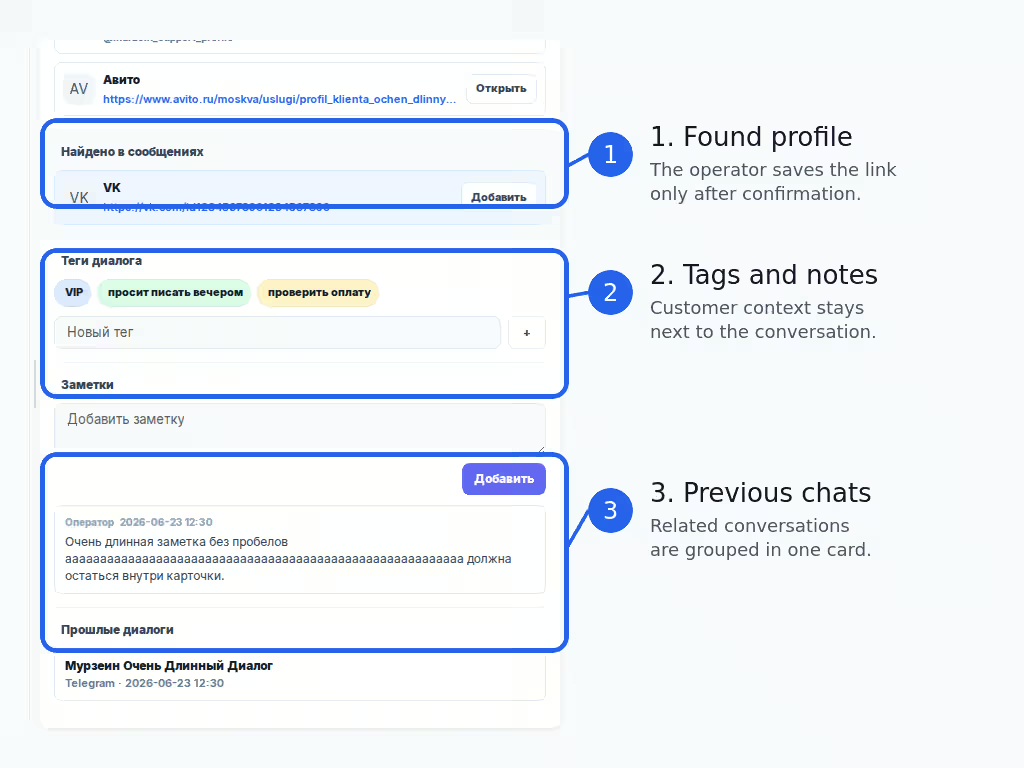
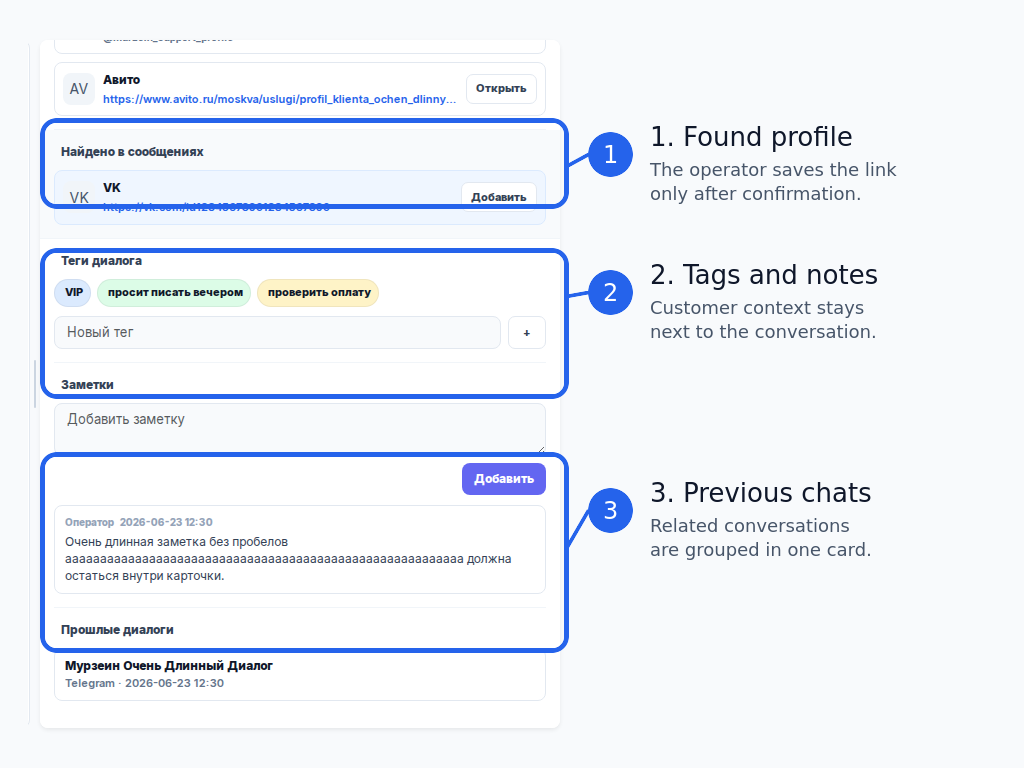
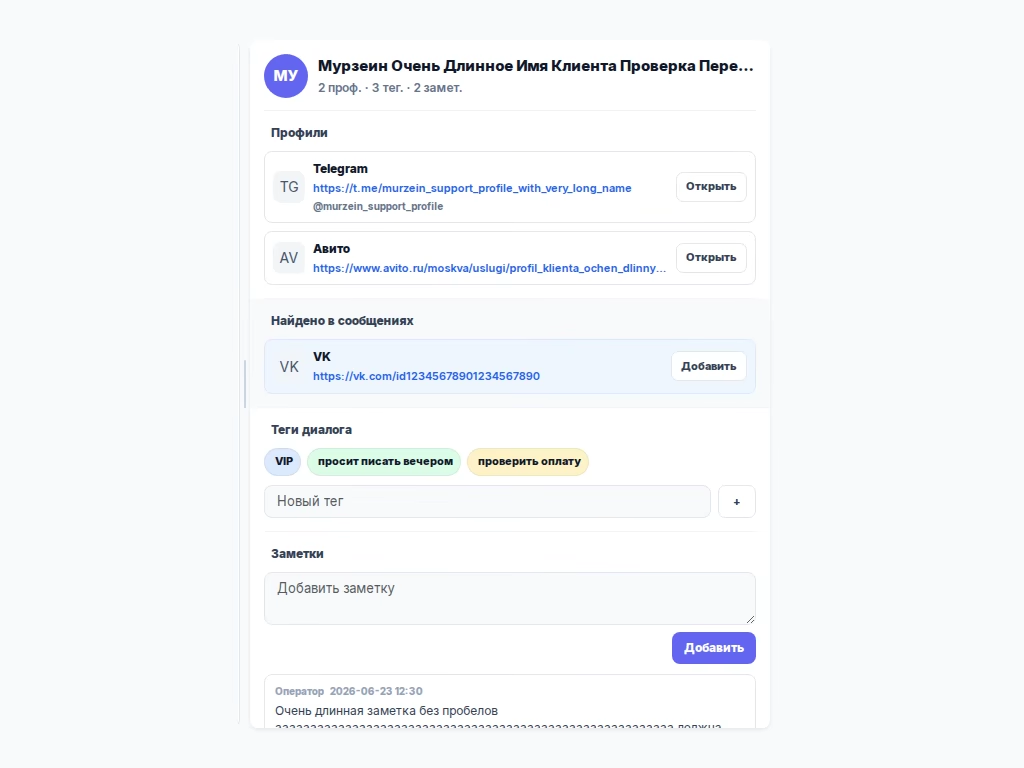
- Conversations now include a convenient customer card on the right. The operator can see saved Telegram, Avito, MAX and VK profiles, profile links found inside messages, tags, notes and previous conversations with the same customer.
- For Avito, several listing-specific conversations from the same buyer are grouped into one customer card when the channel provides a stable buyer id. This helps the operator keep the customer history in context.
- Telegram avatars that could not be loaded temporarily because of API/proxy
issues are no longer stored as a regular
avatar_url_missingresult. EasyChat retries sooner after new customer activity or the next Cron догрузку истории. - The
1.2.3distributives are built as a separate patch version, so these fixes are not mixed into the already published1.2.2release.
Who should read this
- Operators who keep the admin panel open on a second monitor and wait for new messages without clicking the page all the time.
- Operators and sales leads who need previous conversations, notes and customer profile context without searching through separate chats.
- Stores with a Telegram channel where some customer avatars could appear in Telegram after EasyChat’s first loading attempt.
- Stores using Avito, where one buyer can contact the business through several listings and the operator needs one customer context.
- Administrators who update the module from ZIP/OCMOD/TAR.GZ packages and want the installed package to show the correct version number.
What to check after update
Post-update check
Last updated on